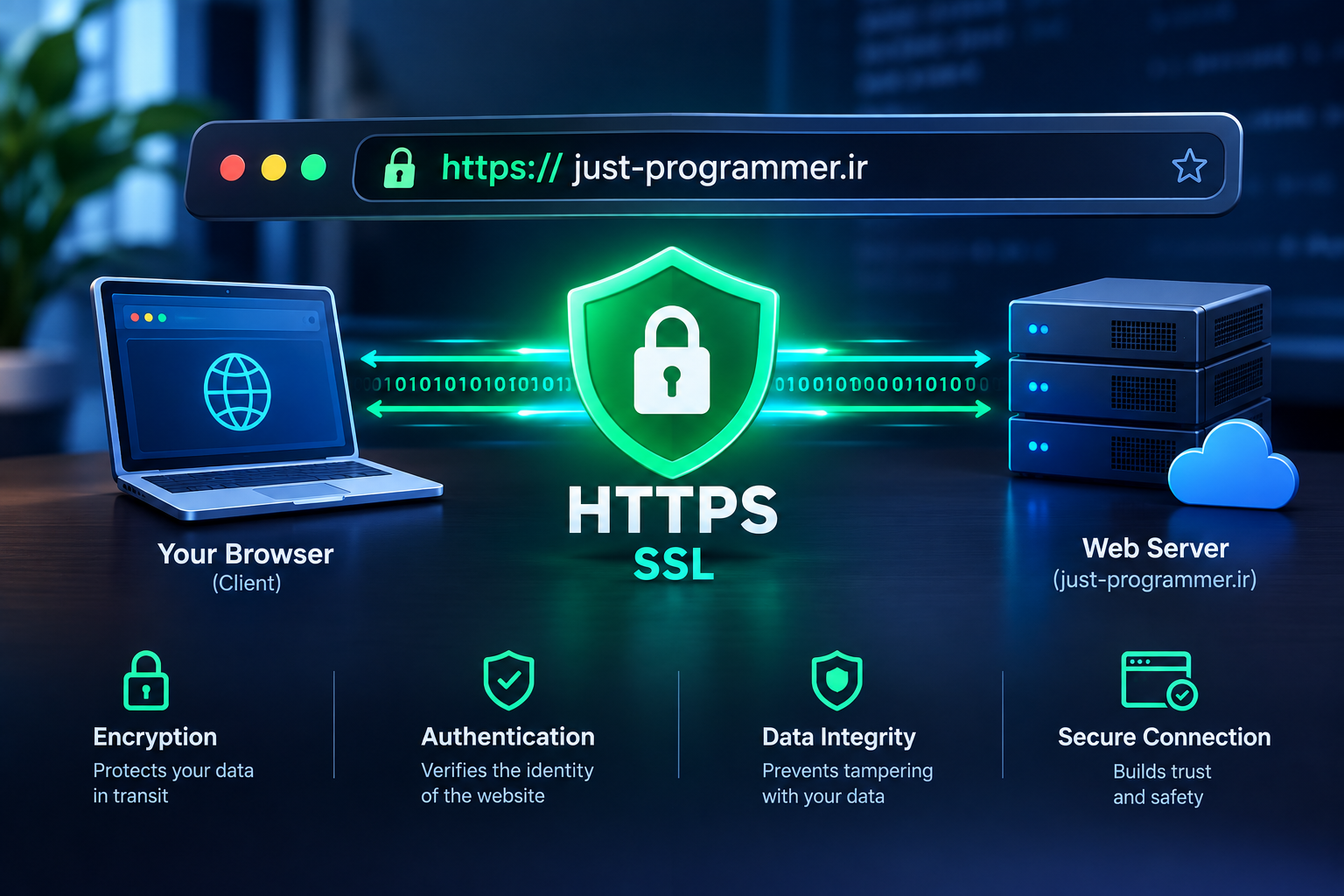
HTTPS and SSL: The Invisible Pillar of Trust in Web Fashion HTTPS و SSL ستون نامرئی اعتماد در وب مد
By 2026, web browsers will no longer "tolerate" sites lacking HTTPS. If a user visits a site and does not see the green padlock in the address bar, they instinctively feel unsafe and close the tab within seconds. Yet, HTTPS is more than just a visual symbol; it is an invisible layer of encryption that protects every data packet exchanged between the browser and the server from eavesdropping and tampering. As a developer with years of experience in web security, I have frequently seen how a simple SSL certificate makes the difference between a trustworthy site and one that users abandon at first glance. In this article, we will discuss everything from the technical fundamentals of SSL/TLS to the practical challenges of implementing HTTPS in real-world projects.
1. What are SSL and TLS, and how do they work? To understand HTTPS, we must first grasp what happens behind the scenes with this protocol.
1- Handshake: When your browser connects to an HTTPS site, a multi-step process known as a "handshake" begins. During this process, the browser and the server generate a shared encryption key accessible only to them. This key encrypts all subsequent data; even if an attacker intercepts the network traffic, the content remains meaningless to them.
2- Digital Certificate: At the heart of this process lies a digital certificate issued by a trusted Certificate Authority (CA). This certificate guarantees that the server you are communicating with is indeed the owner of the claimed domain. Without this certificate, the browser warns the user that the connection is not secure.
3- Symmetric and Asymmetric Encryption: SSL/TLS employs a combination of these two types of encryption. During the handshake phase, asymmetric (public-key) encryption is used for key exchange; subsequently, symmetric encryption—which is significantly faster—is employed for data transmission. This combination ensures both security and performance.
2. Why is HTTPS no longer just an option, but a necessity?
In the past, HTTPS was primarily essential for banking websites and online stores. Today, however, the situation has changed completely.
1- Browser warnings: Google Chrome and other major browsers mark HTTP sites as "Not Secure" by default. This warning appears even if your site lacks login or payment forms. Users who encounter this warning instinctively lose trust in your site.
2- Direct impact on SEO: Since 2014, Google has treated HTTPS as a ranking signal. While its impact may not match that of site speed or content quality, if two sites are otherwise comparable, the HTTPS-enabled site will prevail.
3- Modern web technical requirements: Many modern web features—such as Service Workers, Push Notifications, Geolocation, and IndexedDB—are available only within a "Secure Context." This means that without HTTPS, you cannot even build a Progressive Web App (PWA). Consequently, HTTPS has evolved from a mere "security advantage" into a "technical prerequisite."
3. Implementing HTTPS: From certificate selection to server configuration
Selecting and installing an SSL certificate is the first step, but proper server configuration determines the difference between weak and robust HTTPS implementation.
1- Choosing the certificate type: For most personal websites and startups, free certificates from Let's Encrypt are the best choice. These certificates are renewed every 90 days; using automated scripts (such as Certbot) allows the renewal process to run silently and without manual intervention. For enterprise websites requiring greater visual trust indicators, commercial OV or EV certificates are more suitable options.
2- Server TLS Configuration: Installing the certificate alone is insufficient. You must disable outdated and insecure protocols like TLS 1.0 and 1.1, keeping only TLS 1.2 and 1.3 enabled. Additionally, selecting strong cipher suites and enabling HSTS (HTTP Strict Transport Security) ensures that a user's browser never connects to the HTTP version of your site—whether accidentally or intentionally.
3- Certificate Lifecycle Management: A common issue in production environments is SSL certificate expiration, which renders the site inaccessible. The solution lies in automated monitoring and renewal alerts. In projects involving Docker and Kubernetes, I utilize tools like cert-manager, which automatically issue, renew, and inject certificates into various servers.
4. Common HTTPS Implementation Mistakes That Compromise Site Security
Even with an SSL certificate installed, your site's security remains at risk if you make the following mistakes:
1- Mixed Content: One of the most frequent issues I encounter in real-world projects is loading resources (such as images, CSS, or JS files) via HTTP on an HTTPS page. Browsers block these resources by default; if that protection is bypassed, the security of the entire page is compromised. The solution is to ensure that all resources are loaded via HTTPS and to use the `Content-Security-Policy` meta tag to prevent the accidental loading of insecure resources.
2- Failure to automatically redirect to HTTPS: If a user enters the site address without HTTPS and the server does not redirect them to the secure version, a security vulnerability remains. You should configure a permanent 301 redirect from HTTP to HTTPS and, in conjunction with this, send the HSTS header with an appropriate duration (e.g., one year) so that the browser automatically connects to the secure version.
3- Incomplete Certificate Chain: Sometimes, the primary certificate is installed on the server, but the intermediate certificates are not sent. In this scenario, modern browsers might still establish the connection, but some older browsers or specific devices will display an "Insecure Connection" warning. The solution is to verify the full certificate chain using tools like SSL Labs and ensure that all intermediate certificates are included in the transmission.
5. HTTPS in the PWA and Modern Web Ecosystem
In PWA projects, HTTPS is not merely a security layer; it is the infrastructure that enables the entire user experience.
1- Service Workers and Secure Contexts: The Service Worker is the beating heart of any PWA, yet browsers only permit Service Worker registration within a secure environment (HTTPS). This means that without HTTPS, you cannot even build a PWA. Consequently, HTTPS has shifted from being a "security ideal" to an "absolute technical requirement" for every modern web developer.
2- Cached Data Security: When a PWA stores data in the browser cache, that data resides on the user's device. While HTTPS protects data during transit, you should also employ client-side encryption for sensitive information (such as authentication tokens). This additional layer ensures the data remains unreadable, even if the browser cache is accessed by unauthorized parties.
3- Push Notifications and User Trust: Sending push notifications in a PWA requires a secure connection. If your site lacks HTTPS, you cannot send notifications to users. Beyond the technical aspect, however, a notification originating from an HTTPS site fosters greater user trust. Users know the message they receive comes from your genuine server rather than a malicious or spoofed one.
Conclusion:
HTTPS and SSL are no longer merely "optional features" reserved for large-scale enterprise websites. In the modern web, these protocols form the infrastructure that underpins user experience, SEO, PWAs, and security alike. Properly implementing HTTPS goes beyond merely installing a certificate; it encompasses TLS and HSTS configurations, mixed content management, and a deep understanding of the certificate lifecycle. As a developer, I recommend viewing HTTPS not merely as a "security step," but as the "architectural foundation" of your site. A site built without HTTPS is, from the very outset, incomplete and vulnerable.
در سال ۲۰۲۶، مرورگرهای وب دیگر به سایتهای بدون HTTPS «مجاز» نیستند. اگر کاربری وارد سایتی شود که قفل سبز رنگ در نوار آدرس نبیند، ناخودآگاه حس ناامنی میکند و در کمتر از چند ثانیه، تب را میبندد. اما HTTPS فراتر از یک نماد بصری است؛ این پروتکل، لایهای نامرئی از رمزنگاری است که هر بستهی دادهای بین مرورگر و سرور را از شنود و دستکاری محافظت میکند. به عنوان توسعهدهندهای که سالهاست با امنیت وب درگیر است، بارها دیدهام که یک گواهی SSL ساده، تفاوت بین یک سایت قابلاعتماد و یک سایت که کاربر در اولین نگاه آن را ترک میکند، ایجاد میکند. در این مقاله، از مبانی فنی SSL/TLS تا چالشهای عملی پیادهسازی HTTPS در پروژههای واقعی، صحبت میکنیم.
۱. SSL و TLS چیست و چگونه کار میکنند؟برای درک HTTPS، ابتدا باید بفهمیم که این پروتکل در پشت صحنه چه اتفاقی میافتد.
1- دستشکستی (Handshake): وقتی مرورگر شما به یک سایت HTTPS متصل میشود، یک فرآیند چندمرحلهای به نام Handshake آغاز میشود. در این فرآیند، مرورگر و سرور یک کلید رمزنگاری مشترک تولید میکنند که فقط این دو طرف به آن دسترسی دارند. این کلید، تمام دادههای بعدی را رمزنگاری میکند و حتی اگر یک مهاجم ترافیک شبکه را شنود کند، محتوای آن برای او بیمعنی خواهد بود.
2- گواهی دیجیتال (Certificate): قلب این فرآیند، یک گواهی دیجیتال است که توسط یک مرجع معتبر (CA) صادر میشود. این گواهی تضمین میکند که سروری که با آن صحبت میکنید، واقعاً مالک دامنهای است که ادعا میکند. بدون این گواهی، مرورگر به کاربر هشدار میدهد که اتصال امن نیست.
3- رمزنگاری متقارن و نامتقارن: SSL/TLS از ترکیب دو نوع رمزنگاری استفاده میکند. در مرحله Handshake از رمزنگاری نامتقارن (Public-Key) برای تبادل کلیدها استفاده میشود و پس از آن، برای انتقال دادهها از رمزنگاری متقارن (Symmetric) که بسیار سریعتر است، بهره میبرد. این ترکیب، هم امنیت و هم عملکرد را تضمین میکند.
۲. چرا HTTPS دیگر یک انتخاب نیست، بلکه یک الزام است؟
در گذشته، HTTPS بیشتر برای سایتهای بانکی و فروشگاههای آنلاین ضروری بود. اما امروزه، داستان کاملاً عوض شده است.
1- هشدارهای مرورگر: گوگل کروم و سایر مرورگرهای اصلی، سایتهای HTTP را به صورت پیشفرض «Not Secure» علامتگذاری میکنند. این هشدار، حتی اگر سایت شما فرم ورود یا پرداخت نداشته باشد، نمایش داده میشود. کاربری که این هشدار را ببیند، به صورت ناخودآگاه به سایت شما بیاعتماد میشود.
2- تأثیر مستقیم بر سئو: از سال ۲۰۱۴، گوگل HTTPS را به عنوان یک سیگنال رتبهبندی در نظر میگیرد. اگرچه تأثیر آن به اندازهی سرعت سایت یا کیفیت محتوا نیست، اما در شرایطی که دو سایت از نظر دیگران مشابه باشند، سایت HTTPS برنده خواهد بود.
3- الزامات فنی وب مدرن: بسیاری از ویژگیهای مدرن وب، از جمله Service Worker، Push Notification، Geolocation و IndexedDB، فقط در محیط امن (Secure Context) قابل استفاده هستند. یعنی اگر سایت شما HTTPS نباشد، حتی نمیتوانید یک PWA بسازید. این موضوع، HTTPS را از یک «مزیت امنیتی» به یک «پیشنیاز فنی» تبدیل کرده است.
۳. پیادهسازی HTTPS: از انتخاب گواهی تا تنظیمات سرور
انتخاب و نصب گواهی SSL، اولین گام است، اما تنظیمات صحیح سرور، تفاوت بین یک HTTPS ضعیف و یک HTTPS قوی را ایجاد میکند.
1- انتخاب نوع گواهی: برای اکثر سایتهای شخصی و استارتاپها، گواهیهای رایگان Let's Encrypt بهترین گزینه هستند. این گواهیها هر ۹۰ روز یکبار تمدید میشوند و با استفاده از اسکریپتهای خودکار (مثل certbot)، فرآیند تمدید آنها کاملاً بیصدا و بدون دخالت دستی انجام میشود. برای سایتهای سازمانی که به اعتبار بصری بیشتری نیاز دارند، گواهیهای OV یا EV تجاری گزینههای مناسبتری هستند.
2- تنظیمات TLS در سرور: نصب گواهی به تنهایی کافی نیست. باید پروتکلهای قدیمی و ناامن مانند TLS 1.0 و 1.1 را غیرفعال کنید و فقط TLS 1.2 و 1.3 را فعال نگه دارید. همچنین، انتخاب سوتهای قوی (Cipher Suites) و فعالسازی HSTS (HTTP Strict Transport Security) باعث میشود مرورگر کاربر هرگز به صورت تصادفی یا عمداً به نسخه HTTP سایت شما وصل نشود.
3- مدیریت چرخه عمر گواهی: یکی از رایجترین مشکلات در تولید، منقضی شدن گواهی SSL و از دسترس خارج شدن سایت است. راهحل، استفاده از مانیتورینگ خودکار و تنظیم هشدارهای تمدید است. در پروژههایی که با Docker و Kubernetes کار میکنم، از ابزارهایی مثل cert-manager استفاده میکنم که به صورت خودکار گواهیها را صادر، تمدید و به سرورهای مختلف تزریق میکنند.
۴. اشتباهات رایج در پیادهسازی HTTPS که سایت شما را ناامن میکند
حتی اگر گواهی SSL را نصب کرده باشید، اگر این اشتباهات را مرتکب شوید، امنیت سایت شما به خطر میافتد.
1- محتوای مختلط (Mixed Content): یکی از رایجترین مشکلاتی که در پروژههای واقعی با آن مواجه میشوم، بارگذاری منابع (تصویر، CSS، JS) از طریق HTTP در یک صفحهی HTTPS است. مرورگر این منابع را به صورت پیشفرض بلوک میکند و اگر غیرفعال شود، امنیت کل صفحه نقض میشود. راهحل، اطمینان از اینکه تمام منابع از طریق HTTPS بارگذاری شوند و استفاده از متاتگ Content-Security-Policy برای جلوگیری از بارگذاری تصادفی منابع ناامن است.
2- عدم هدایت خودکار به HTTPS: اگر کاربر آدرس سایت را بدون HTTPS وارد کند و سرور او را به نسخهی امن هدایت نکند، یک پنجرهی آسیبپذیری باز میماند. باید یک ریدایرکت ۳۰۱ دائمی از HTTP به HTTPS تنظیم کنید و در کنار آن، هدر HSTS را با یک مدت زمان مناسب (مثلاً یک سال) ارسال کنید تا مرورگر به صورت خودکار همیشه به نسخهی امن وصل شود.
3- زنجیرهی گواهی ناقص (Incomplete Certificate Chain): گاهی اوقات، گواهی اصلی روی سرور نصب است اما گواهیهای واسط (Intermediate Certificates) ارسال نمیشوند. در این حالت، مرورگرهای جدید ممکن است اتصال را برقرار کنند، اما برخی مرورگرهای قدیمی یا دستگاههای خاص، هشدار «اتصال امن نیست» نمایش میدهند. راهحل، بررسی زنجیرهی کامل گواهی با ابزارهایی مثل SSL Labs و اطمینان از ارسال تمام گواهیهای واسط است.
۵. HTTPS در اکوسیستم PWA و وب مدرن
در پروژههای PWA، HTTPS فقط یک لایهی امنیتی نیست، بلکه زیرساختی است که کل تجربهی کاربری را ممکن میسازد.
1- Service Worker و Secure Context: Service Worker، قلب تپندهی هر PWA است، اما مرورگرها فقط اجازه میدهند که Service Worker در یک محیط امن (HTTPS) ثبت شود. یعنی بدون HTTPS، حتی نمیتوانید یک PWA بسازید. این موضوع، HTTPS را از یک «ایدهآل امنیتی» به یک «الزام فنی مطلق» برای هر توسعهدهندهی وب مدرن تبدیل کرده است.
2- امنیت دادههای کششده: وقتی یک PWA دادهها را در کش مرورگر ذخیره میکند، این دادهها روی دستگاه کاربر قرار میگیرند. اگرچه HTTPS دادهها را در حین انتقال محافظت میکند، اما برای دادههای حساس (مثل توکنهای احراز هویت)، باید از رمزنگاری سمت کلاینت (Client-Side Encryption) نیز استفاده کنید. این لایهی اضافی، حتی اگر کش مرورگر به هر دلیلی دسترسی پیدا شود، دادهها را غیرقابلخواندن نگه میدارد.
3- Push Notification و اعتماد کاربر: ارسال نوتیفیکیشن Push در PWA، نیازمند یک اتصال امن است. اگر سایت شما HTTPS نباشد، حتی نمیتوانید به کاربر اعلان بفرستید. اما فراتر از جنبهی فنی، یک نوتیفیکیشن که از یک سایت HTTPS ارسال شود، حس اعتماد بیشتری به کاربر منتقل میکند. کاربر میداند که پیامی که دریافت میکند، از سرور واقعی شماست و نه از یک سرور جعلی.
نتیجهگیری:
HTTPS و SSL، دیگر یک «ویژگی اضافی» برای سایتهای بزرگ و سازمانی نیستند. در وب مدرن، این پروتکلها، زیرساختی هستند که تجربهی کاربری، سئو، PWA و امنیت را همگی بر شانههای خود حمل میکنند. پیادهسازی صحیح HTTPS فقط به نصب یک گواهی ختم نمیشود؛ بلکه شامل تنظیمات TLS، HSTS، مدیریت محتوای مختلط، و درک عمیق از چرخهی عمر گواهیها است. به عنوان یک توسعهدهنده، توصیهی من این است که HTTPS را نه به عنوان یک «گام امنیتی»، بلکه به عنوان «پایهی معماری» سایت خود در نظر بگیرید. سایتی که بدون HTTPS ساخته شود، از همان لحظهی اول، یک سایت ناقص و آسیبپذیر است.