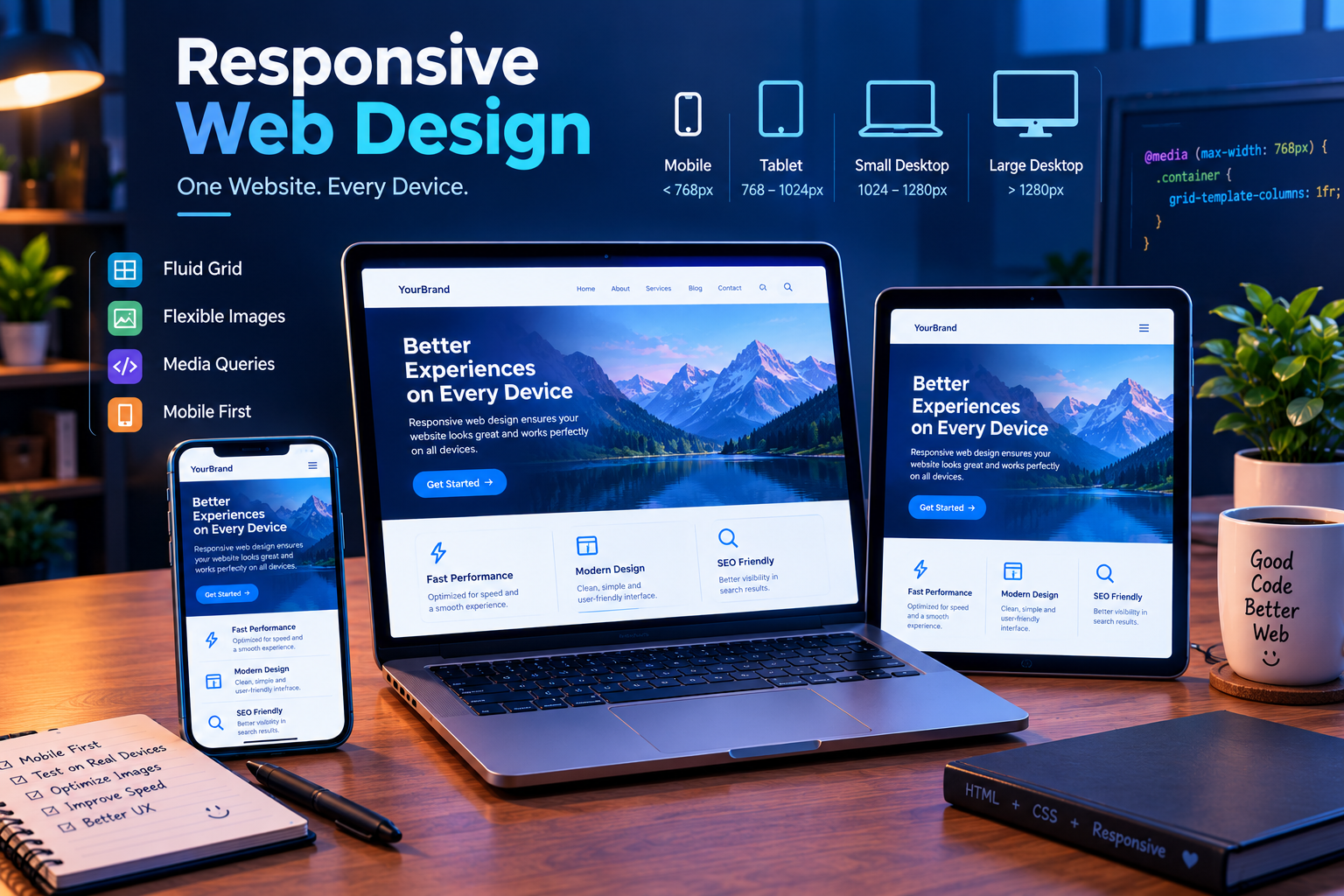
Responsive Web Design: Principles, Techniques, and Best Practices طراحی سایت واکنشگرا چیست؟ اصول، روشها و نکات طراحی ریسپانسیو
What Is Responsive Web Design?
Responsive Web Design (RWD) is an approach to web design and development that allows a website to adapt to different screen sizes and devices. A responsive website provides a comfortable and consistent user experience on smartphones, tablets, laptops, and desktop computers.
As mobile devices have become one of the main ways people access the internet, responsive design has become an essential part of modern web development. A website should not only look good on large screens but should also remain readable, functional, and easy to navigate on smaller devices.
Why Is Responsive Design Important?
Responsive design helps websites work properly on different devices and improves the overall user experience. It also allows developers to create one flexible website instead of maintaining separate desktop and mobile versions.
1. Better User Experience
Responsive websites adjust their layout and content according to the user's screen. Visitors can read text, use buttons, and navigate through pages without constantly zooming in or scrolling horizontally.
2. Improved Mobile Accessibility and SEO
Responsive design supports a mobile-friendly experience and makes website content easier to access on different devices. A well-structured website can also help search engines understand and access its content.
3. Reduced Development and Maintenance Costs
Instead of building separate websites for desktop and mobile users, developers can create one responsive website that adapts to different screen sizes.
4. Easier Website Management
Managing one responsive website is generally easier than maintaining multiple independent versions. Content updates, design changes, and technical improvements can be managed in one central project.
Core Principles of Responsive Web Design
Responsive design is based on several important principles that allow website elements to adapt naturally to different screen sizes.
1. Fluid Grids
A fluid grid uses relative units, such as percentages, instead of relying only on fixed pixel-based dimensions. This allows containers and layout elements to adjust according to the available screen width.
For example, a content section can use a percentage-based width instead of always having a fixed width of 800 pixels. This makes the layout more flexible across different devices.
2. Flexible Images
Images should be configured so that they remain inside their containers and do not create unwanted horizontal scrolling. A commonly used CSS rule is:
img {
    max-width: 100%;
    height: auto;
}
This rule allows images to become smaller when the available space decreases while preserving their proportions.
3. CSS Media Queries
Media Queries allow developers to apply different CSS styles according to the characteristics of a device or viewport, such as screen width.
For example, a website may display three columns on a desktop screen and change them into one column on a mobile device.
@media (max-width: 768px) {
    .container {
        grid-template-columns: 1fr;
    }
}
Common Responsive Breakpoints
Breakpoints are screen-width values where a website's layout changes to provide a better user experience. The following categories can be used as a general design reference:
- Mobile: Less than 768 pixels
- Tablet: From 768 to 1024 pixels
- Small Desktop: From 1024 to 1280 pixels
- Large Desktop: More than 1280 pixels
These values are not strict rules for every project. Developers should choose breakpoints based on the content and layout of the website rather than targeting only specific device models.
Methods for Implementing Responsive Design
1. Using CSS Frameworks
Frameworks such as Bootstrap and Tailwind CSS provide tools and utilities that can make responsive development easier.
These frameworks offer responsive classes, layout systems, spacing utilities, and other features that help developers build interfaces for different screen sizes.
2. Using Flexbox and CSS Grid
Flexbox and CSS Grid are powerful CSS layout systems that help developers create flexible and organized interfaces.
Flexbox is useful for arranging elements in one direction, such as a row or column. CSS Grid is useful for creating two-dimensional layouts with rows and columns.
Both technologies can be combined with Media Queries to create layouts that adapt to different screen sizes.
3. Using Responsive Images
Responsive images allow developers to provide different image resources depending on the user's device or screen size. This can improve performance and ensure that images are displayed appropriately.
HTML features such as the picture element and the srcset attribute can be used to provide suitable images for different display conditions.

Mobile-First Design
Mobile-First Design is an approach in which developers begin by designing a website for smaller screens and then expand the layout for tablets and desktop devices.
This approach encourages developers to focus on the most important content and functionality first. Additional layout features can then be added as more screen space becomes available.
.card {
    width: 100%;
}

@media (min-width: 768px) {
    .card {
        width: 50%;
    }
}

@media (min-width: 1200px) {
    .card {
        width: 33.333%;
    }
}
Important Tips for Responsive Websites
1. Start with Mobile-First Design
Design the most important parts of the website for mobile screens first. Then improve the layout for larger devices.
2. Test on Real Devices
Browser developer tools are useful for testing different screen sizes. However, testing on real smartphones and tablets can reveal additional problems related to touch interaction, text size, and performance.
3. Prioritize Mobile Performance
Mobile users may have slower internet connections or devices with limited resources. Optimize images, reduce unnecessary scripts, and avoid loading resources that are not needed.
4. Make Interactive Elements Accessible
Buttons, links, and other interactive elements should be large enough and spaced appropriately so users can tap them comfortably on touchscreens.
5. Prevent Horizontal Scrolling
Make sure that text, images, tables, and other elements fit within the viewport. Uncontrolled fixed widths can cause horizontal scrolling and reduce the quality of the mobile experience.
Common Responsive Design Mistakes
- Using fixed widths for every element
- Ignoring mobile screen sizes
- Allowing images to overflow their containers
- Making buttons and links too small
- Testing only on desktop screens
- Loading unnecessarily large images
- Using too many breakpoints without a clear purpose
Frequently Asked Questions About Responsive Web Design
1. What is responsive web design?
Responsive web design is an approach that allows a website to adapt its layout and content to different screen sizes, including mobile phones, tablets, and desktop computers.
2. Why is responsive design important?
Responsive design improves the user experience by making websites easier to read and navigate on different devices. It also simplifies website maintenance because developers can manage one adaptable website instead of separate desktop and mobile versions.
3. What is the difference between responsive and adaptive design?
Responsive design uses flexible layouts that adapt continuously to the available screen size. Adaptive design generally uses predefined layouts designed for specific screen sizes or device categories.
4. What technologies are used in responsive design?
Common technologies include CSS Media Queries, Flexbox, CSS Grid, flexible units, responsive images, and Mobile-First development. Frameworks such as Bootstrap and Tailwind CSS can also support responsive website development.
5. Is Bootstrap required to build a responsive website?
No. Bootstrap is not required. Developers can build responsive websites using standard HTML and CSS features such as Flexbox, CSS Grid, and Media Queries. Frameworks are optional tools that can speed up development.
6. What is Mobile-First design?
Mobile-First design is an approach in which a website is designed for smaller screens first. Developers then use additional styles and Media Queries to improve the layout for tablets and larger screens.
7. How can I test whether my website is responsive?
You can use browser developer tools, resize the browser window, and test the website on real smartphones and tablets. Check navigation menus, buttons, images, text, forms, and horizontal scrolling on different screen sizes.
8. Does responsive design improve SEO?
Responsive design helps provide a mobile-friendly experience and makes website content easier to access across devices. However, responsive design alone does not guarantee higher search rankings. Content quality, technical SEO, and other factors also matter.
Conclusion
Responsive Web Design is an essential part of modern website development. It allows websites to adapt to different screen sizes and provides users with a more consistent and accessible experience.
By using fluid layouts, flexible images, CSS Media Queries, Flexbox, CSS Grid, and Mobile-First development, developers can create websites that work effectively across a wide range of devices.
Responsive design is not only about making a website smaller on mobile screens. It is about creating a flexible, accessible, and user-friendly experience regardless of the device being used.
© Just Programmer | Learn • Build • Grow
طراحی سایت واکنشگرا چیست؟
طراحی وب واکنشگرا (Responsive Web Design) رویکردی در طراحی و توسعه وب است که به وبسایت اجازه میدهد خود را با اندازههای مختلف صفحهنمایش و دستگاههای گوناگون هماهنگ کند.
یک وبسایت ریسپانسیو باید در موبایل، تبلت، لپتاپ و کامپیوتر دسکتاپ، تجربهای مناسب، خوانا و قابلاستفاده ارائه دهد. با افزایش استفاده از تلفنهای همراه برای دسترسی به اینترنت، طراحی واکنشگرا به یکی از بخشهای ضروری توسعه وب مدرن تبدیل شده است.
یک سایت حرفهای نباید فقط در صفحهنمایشهای بزرگ ظاهر مناسبی داشته باشد. منوها، تصاویر، متنها، فرمها و دکمههای آن نیز باید در صفحههای کوچک بهدرستی نمایش داده شوند و قابل استفاده باشند.
چرا طراحی ریسپانسیو اهمیت دارد؟
طراحی واکنشگرا به وبسایت کمک میکند تا در دستگاههای مختلف عملکرد مناسبی داشته باشد. همچنین به توسعهدهندگان اجازه میدهد بهجای مدیریت چند نسخه جداگانه از سایت، یک پروژه انعطافپذیر ایجاد کنند.
۱. تجربه کاربری بهتر
وبسایتهای ریسپانسیو چیدمان و محتوای خود را با اندازه صفحه هماهنگ میکنند. کاربران میتوانند بدون نیاز به زوم مداوم یا اسکرول افقی، متنها را بخوانند، روی دکمهها کلیک کنند و بین صفحات مختلف حرکت کنند.
۲. بهبود دسترسی در موبایل و سئو
طراحی واکنشگرا به ایجاد تجربه مناسب برای کاربران موبایل کمک میکند. ساختار مناسب سایت باعث میشود کاربران و موتورهای جستجو بتوانند به محتوای صفحات دسترسی بهتری داشته باشند و آن را راحتتر درک کنند.
۳. کاهش هزینههای توسعه و نگهداری
بهجای ساخت و نگهداری یک وبسایت جداگانه برای موبایل و دسکتاپ، میتوان یک وبسایت ریسپانسیو طراحی کرد که با اندازههای مختلف صفحهنمایش سازگار باشد.
۴. مدیریت آسانتر سایت
مدیریت یک وبسایت واکنشگرا معمولاً سادهتر از مدیریت چند نسخه مستقل است. محتوا، تغییرات طراحی و بهروزرسانیهای فنی را میتوان در یک پروژه مرکزی مدیریت کرد.
اصول اصلی طراحی وب واکنشگرا
طراحی ریسپانسیو بر اساس چند اصل مهم انجام میشود. این اصول به عناصر وبسایت کمک میکنند تا بهصورت طبیعی با اندازههای مختلف صفحه هماهنگ شوند.
۱. شبکه شناور (Fluid Grid)
در شبکههای شناور بهجای استفاده صرف از اندازههای ثابت مانند پیکسل، از واحدهای نسبی مانند درصد استفاده میشود. این روش باعث میشود عناصر صفحه با توجه به فضای موجود، اندازه خود را تغییر دهند.
برای مثال، یک بخش از صفحه میتواند درصد مشخصی از عرض container خود را اشغال کند، بهجای اینکه همیشه عرض ثابتی مانند ۸۰۰ پیکسل داشته باشد. این روش باعث انعطافپذیری بیشتر چیدمان در دستگاههای مختلف میشود.
۲. تصاویر انعطافپذیر (Flexible Images)
تصاویر باید به شکلی تنظیم شوند که از container خود خارج نشوند و باعث ایجاد اسکرول افقی ناخواسته نشوند. یکی از قوانین رایج CSS برای این کار به شکل زیر است:
img {
    max-width: 100%;
    height: auto;
}
این قانون به تصویر اجازه میدهد زمانی که فضای موجود کاهش پیدا میکند، کوچکتر شود و نسبت ابعاد خود را حفظ کند.
۳. مدیا کوئریها (CSS Media Queries)
با استفاده از Media Queries میتوان بر اساس ویژگیهای دستگاه یا صفحهنمایش، مانند عرض viewport، استایلهای متفاوتی تعریف کرد.
برای مثال، ممکن است یک سایت در دسکتاپ سه ستون داشته باشد، اما در موبایل همان ستونها را به یک ستون تبدیل کند تا محتوا خواناتر و قابلاستفادهتر باشد.
@media (max-width: 768px) {
    .container {
        grid-template-columns: 1fr;
    }
}
نقاط شکست رایج در طراحی ریسپانسیو
نقاط شکست یا Breakpoints اندازههایی از عرض صفحهنمایش هستند که در آنها چیدمان سایت تغییر میکند تا تجربه کاربری بهتری ایجاد شود.
- موبایل: کمتر از ۷۶۸ پیکسل
- تبلت: از ۷۶۸ تا ۱۰۲۴ پیکسل
- دسکتاپ کوچک: از ۱۰۲۴ تا ۱۲۸۰ پیکسل
- دسکتاپ بزرگ: بیشتر از ۱۲۸۰ پیکسل
این اندازهها قوانین ثابت و اجباری برای تمام پروژهها نیستند. بهتر است توسعهدهنده نقاط شکست را بر اساس محتوا، چیدمان و نیازهای واقعی سایت انتخاب کند، نه فقط بر اساس مدل دستگاهها.
روشهای پیادهسازی طراحی ریسپانسیو
۱. استفاده از فریمورکهای CSS
فریمورکهایی مانند Bootstrap و Tailwind CSS ابزارها و قابلیتهایی ارائه میدهند که فرایند ساخت وبسایتهای واکنشگرا را سادهتر میکنند.
این فریمورکها امکاناتی مانند کلاسهای ریسپانسیو، سیستمهای چیدمان، ابزارهای فاصلهدهی و قابلیتهای مختلف طراحی را در اختیار توسعهدهندگان قرار میدهند.
۲. استفاده از Flexbox و CSS Grid
Flexbox و CSS Grid دو سیستم قدرتمند CSS برای ایجاد چیدمانهای انعطافپذیر و منظم هستند.
Flexbox برای مرتبسازی عناصر در یک جهت، مانند ردیف یا ستون، بسیار کاربردی است. در مقابل، CSS Grid برای ایجاد چیدمانهای دوبعدی شامل ردیفها و ستونها استفاده میشود.
میتوان این دو فناوری را همراه با Media Queries به کار برد تا چیدمان سایت در اندازههای مختلف صفحهنمایش بهدرستی تغییر کند.
۳. استفاده از تصاویر واکنشگرا
تصاویر واکنشگرا به توسعهدهندگان اجازه میدهند با توجه به دستگاه یا اندازه صفحهنمایش، منابع تصویری متفاوتی ارائه کنند. این روش میتواند به بهبود عملکرد سایت و نمایش مناسب تصاویر کمک کند.
در HTML میتوان از تگ picture یا ویژگی srcset برای ارائه تصاویر مناسب در شرایط مختلف استفاده کرد.
طراحی موبایلمحور (Mobile-First)
Mobile-First روشی در طراحی وب است که در آن توسعهدهنده ابتدا سایت را برای صفحههای کوچک مانند موبایل طراحی میکند و سپس چیدمان آن را برای تبلت و دسکتاپ گسترش میدهد.
این رویکرد باعث میشود توسعهدهنده ابتدا روی مهمترین محتوا و قابلیتهای سایت تمرکز کند. سپس با افزایش فضای صفحه، امکانات و بخشهای بیشتری به طراحی اضافه میشوند.
.card {
    width: 100%;
}

@media (min-width: 768px) {
    .card {
        width: 50%;
    }
}

@media (min-width: 1200px) {
    .card {
        width: 33.333%;
    }
}
نکات مهم برای طراحی سایت ریسپانسیو
۱. طراحی را با موبایل شروع کنید
ابتدا بخشهای مهم سایت را برای صفحهنمایش موبایل طراحی کنید و سپس چیدمان را برای دستگاههای بزرگتر بهبود دهید.
۲. سایت را روی دستگاههای واقعی آزمایش کنید
ابزارهای توسعهدهنده مرورگر برای بررسی اندازههای مختلف صفحه کاربردی هستند؛ اما آزمایش سایت روی موبایل و تبلت واقعی میتواند مشکلاتی را در زمینه لمس صفحه، اندازه متن و عملکرد سایت مشخص کند.
۳. سرعت سایت در موبایل را جدی بگیرید
ممکن است کاربران موبایل از اینترنت کندتر یا دستگاههایی با منابع محدود استفاده کنند. تصاویر را بهینه کنید، اسکریپتهای غیرضروری را کاهش دهید و از بارگذاری منابع غیرضروری جلوگیری کنید.
۴. عناصر تعاملی را قابلاستفاده طراحی کنید
دکمهها، لینکها و سایر عناصر تعاملی باید اندازه و فاصله مناسبی داشته باشند تا کاربران بتوانند بهراحتی روی آنها در صفحههای لمسی ضربه بزنند.
۵. از ایجاد اسکرول افقی جلوگیری کنید
مطمئن شوید متنها، تصاویر، جدولها و سایر عناصر در محدوده صفحه قرار میگیرند. استفاده کنترلنشده از عرضهای ثابت میتواند باعث ایجاد اسکرول افقی و کاهش کیفیت تجربه کاربری در موبایل شود.
اشتباهات رایج در طراحی ریسپانسیو
- استفاده از عرض ثابت برای تمام عناصر
- نادیده گرفتن اندازه صفحهنمایش موبایل
- خارج شدن تصاویر از container
- کوچک طراحی کردن دکمهها و لینکها
- آزمایش سایت فقط روی صفحهنمایش دسکتاپ
- بارگذاری تصاویر بسیار بزرگ و غیرضروری
- استفاده از تعداد زیادی Breakpoint بدون هدف مشخص
سؤالات متداول درباره طراحی سایت ریسپانسیو
۱. طراحی سایت واکنشگرا چیست؟
طراحی سایت واکنشگرا روشی است که به وبسایت اجازه میدهد چیدمان و محتوای خود را با اندازههای مختلف صفحهنمایش، از موبایل و تبلت گرفته تا دسکتاپ، هماهنگ کند.
۲. چرا طراحی ریسپانسیو اهمیت دارد؟
طراحی ریسپانسیو تجربه کاربری را بهبود میدهد و باعث میشود کاربران بتوانند در دستگاههای مختلف، متنها را بخوانند و با بخشهای سایت تعامل داشته باشند. همچنین مدیریت یک سایت واکنشگرا معمولاً سادهتر از مدیریت چند نسخه جداگانه برای موبایل و دسکتاپ است.
۳. تفاوت طراحی ریسپانسیو و Adaptive چیست؟
در طراحی ریسپانسیو، چیدمان سایت بهصورت انعطافپذیر با فضای موجود سازگار میشود. در طراحی Adaptive معمولاً چند چیدمان از پیش تعیینشده برای اندازهها یا دستههای مشخص صفحهنمایش طراحی میشود.
۴. مهمترین فناوریهای طراحی ریسپانسیو کداماند؟
از مهمترین فناوریها میتوان به CSS Media Queries، Flexbox، CSS Grid، واحدهای نسبی، تصاویر واکنشگرا و رویکرد Mobile-First اشاره کرد. فریمورکهایی مانند Bootstrap و Tailwind CSS نیز میتوانند در توسعه سایتهای ریسپانسیو کاربرد داشته باشند.
۵. آیا برای ساخت سایت ریسپانسیو باید از Bootstrap استفاده کنیم؟
خیر. استفاده از Bootstrap اجباری نیست. توسعهدهندگان میتوانند با HTML و CSS معمولی و استفاده از Flexbox، CSS Grid و Media Queries، وبسایتهای کاملاً ریسپانسیو بسازند. فریمورکها ابزارهای اختیاری هستند که میتوانند سرعت توسعه را افزایش دهند.
۶. طراحی Mobile-First چیست؟
در طراحی Mobile-First، ابتدا سایت برای صفحهنمایشهای کوچک مانند موبایل طراحی میشود. سپس با استفاده از استایلهای اضافی و Media Queries، چیدمان سایت برای تبلت و صفحهنمایشهای بزرگتر بهبود پیدا میکند.
۷. چگونه بررسی کنیم که سایت ما ریسپانسیو است؟
میتوانید از ابزارهای توسعهدهنده مرورگر استفاده کنید، اندازه پنجره مرورگر را تغییر دهید و سایت را روی موبایل و تبلت واقعی آزمایش کنید. منوها، دکمهها، تصاویر، متنها، فرمها و اسکرول افقی را در اندازههای مختلف صفحهنمایش بررسی کنید.
۸. آیا طراحی ریسپانسیو باعث بهبود سئو میشود؟
طراحی ریسپانسیو به ایجاد تجربه مناسب در موبایل کمک میکند و دسترسی به محتوای سایت را در دستگاههای مختلف آسانتر میسازد. بااینحال، ریسپانسیو بودن بهتنهایی رتبه بالاتر در نتایج جستجو را تضمین نمیکند. کیفیت محتوا، سئوی فنی و عوامل دیگر نیز اهمیت دارند.
نتیجهگیری
طراحی وب واکنشگرا یکی از بخشهای ضروری توسعه وب مدرن است. این روش به وبسایتها اجازه میدهد با اندازههای مختلف صفحهنمایش سازگار شوند و تجربهای یکپارچهتر و قابلدسترسیتر برای کاربران فراهم کنند.
با استفاده از چیدمانهای شناور، تصاویر انعطافپذیر، CSS Media Queries، Flexbox، CSS Grid و رویکرد Mobile-First، میتوان وبسایتهایی ساخت که روی طیف گستردهای از دستگاهها عملکرد مناسبی داشته باشند.
طراحی ریسپانسیو فقط به معنای کوچک کردن سایت در موبایل نیست؛ بلکه به معنای ایجاد تجربهای انعطافپذیر، قابلدسترسی و کاربرپسند است که در هر دستگاهی عملکرد مناسبی داشته باشد.
© Just Programmer | Learn • Build • Grow